
What's included
- DNS filtering server on your network, or the DNS filtering in your firewall
- Curated block lists for ads, trackers, malware and phishing; allow lists so business sites keep working
- Different rules for staff, guest and IoT networks
- Encrypted DNS (DoH/DoT) to upstream resolvers
- Stops devices from bypassing the filter with their own DNS settings
- Reports on what was blocked, and a quick way to unblock a site
How it works
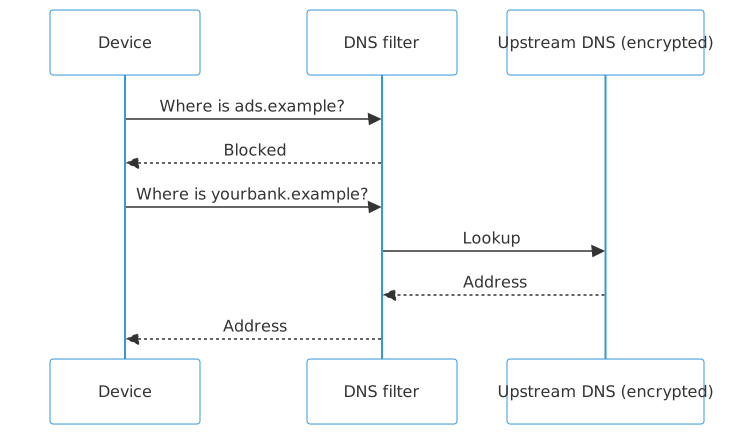
Text version of this diagram
- Device → DNS filter: Where is ads.example?
- DNS filter → Device: Blocked
- Device → DNS filter: Where is yourbank.example?
- DNS filter → Upstream DNS (encrypted): Lookup
- Upstream DNS (encrypted) → DNS filter: Address
- DNS filter → Device: Address
Technologies
Who it's for
- Offices, schools and families wanting fewer ads and trackers
- Businesses wanting a layer against phishing and malware
- Networks with smart TVs and IoT devices that can't run security software
What you get
- DNS filter installed on your network or firewall
- Block and allow lists tuned to your business
- Separate rules for staff, guests and devices
- Monthly report of what was blocked
Questions
Does this slow down browsing?
Usually the reverse: blocked ads and trackers never load.
What if it blocks something we need?
Add it to the allow list from the dashboard, or ask us.
Does it replace antivirus?
No: it's an extra layer that stops many threats before they load; keep endpoint protection too.